


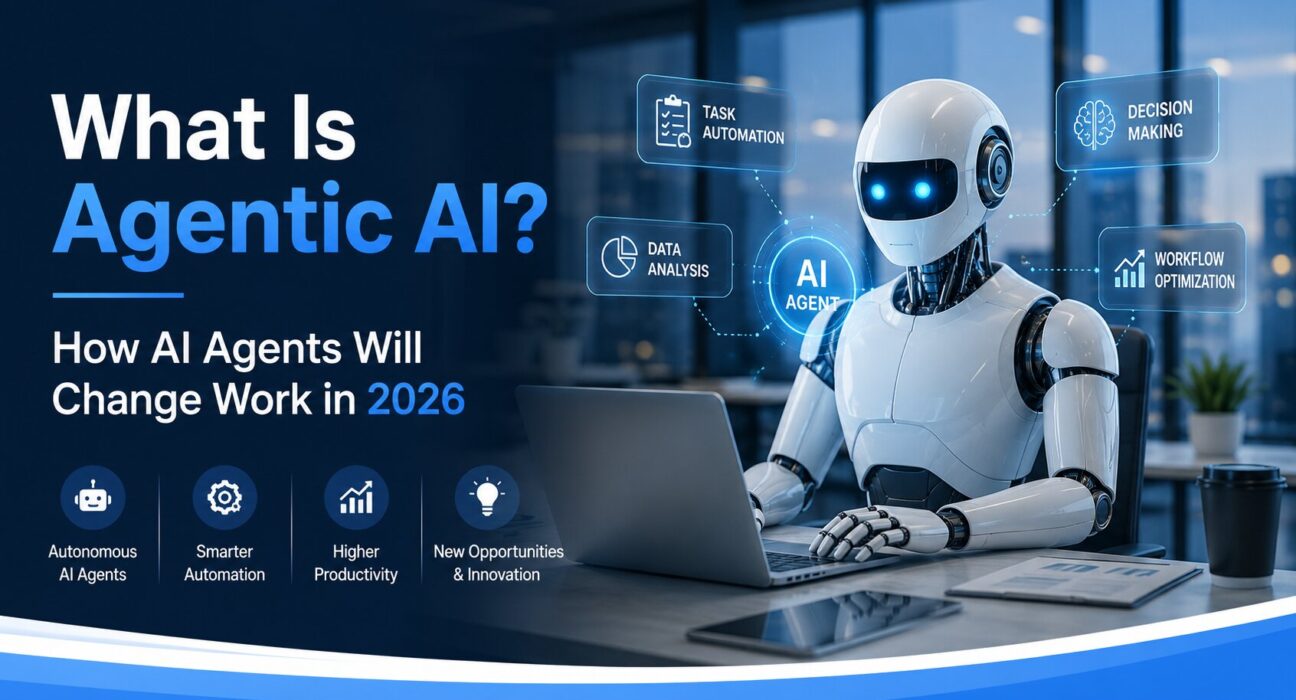
For the past few years, most people have interacted with AI the same way: ask a question, get an answer. It’s useful, sure — but it’s still fundamentally you doing the work, the AI just making parts of it faster.
Agentic AI changes that completely. Instead of responding to prompts one at a time, an AI agent can be given a goal and go figure out how to achieve it — researching, planning, executing tasks, using other tools, checking its own results, and adapting along the way. All without someone holding its hand at every step.
So what is agentic AI, exactly? And why is 2026 the year it stops being a niche tech concept and starts reshaping how ordinary businesses operate? This guide breaks it all down — with real examples, clear explanations, and an honest look at where this is heading.
📌 FEATURED SNIPPET TARGET Agentic AI refers to artificial intelligence systems that can autonomously plan, make decisions, use tools, and complete multi-step tasks toward a defined goal — without requiring step-by-step human instruction at each stage. Unlike traditional AI chatbots that respond to single prompts, AI agents act independently across extended workflows.
What Is Agentic AI? (The Plain-English Definition)
Let’s start with the basics, because the term gets thrown around a lot with surprisingly little explanation attached.
Traditional AI — the kind in tools like basic ChatGPT — works in a single exchange. You give it input, it gives you output. Done. There’s no memory of what happened before, no ability to go off and do something on its own, and no way to use external tools unless they’ve been specifically built into the interface.
Agentic AI is different in three fundamental ways:
- It can take actions, not just produce text — browsing websites, running code, sending emails, filling forms, or calling APIs.
- It can chain multiple steps together — breaking a big goal into sub-tasks and completing them in sequence.
- It can self-correct — checking whether a step worked and adjusting its approach if it didn’t.
Think of it this way: a traditional AI is like a very smart dictionary. An AI agent is more like a competent junior employee you can assign a project to and trust to come back with a finished result.
SIMPLE EXAMPLE: You tell an AI agent: “Research the top five project management tools, compare their pricing, and put the results in a spreadsheet.” A traditional AI would tell you how to do that. An agentic AI would actually go do it — visiting websites, pulling pricing data, creating the spreadsheet, and delivering the finished file.
How AI Agents Work: The Four Core Capabilities
Understanding what makes something an “agent” rather than just a chatbot helps you understand why this matters. Most AI agents share four defining capabilities:
1. Goal-Oriented Planning
When you give an AI agent a task, it doesn’t just respond — it creates a plan. It breaks the objective down into steps, sequences them logically, and begins executing. This is sometimes called a “reasoning loop” — the agent thinks about what needs to happen before doing anything.
Tools like AutoGPT, Claude’s extended thinking mode, and OpenAI’s o3 model all have versions of this built in. The agent essentially asks itself: “What’s my goal? What do I need to do first? What depends on what?” before taking any action.
2. Tool Use and External Action
What separates an AI agent from a language model is the ability to use tools. This includes:
- Web browsing — searching the internet and reading pages in real time
- Code execution — writing and running code to perform calculations, data analysis, or file manipulation
- API calls — connecting to external services like Google Calendar, Slack, CRMs, or databases
- File management — reading, creating, editing, and saving documents
The combination of reasoning and tool use is what enables agents to actually get things done in the real world rather than just describing how they’d be done.
3. Memory
AI agents can maintain memory across a session — and increasingly across sessions — which means they can build context over time. A sales agent that remembered your prospect list from last week, your email templates from yesterday, and your follow-up schedule from this morning is fundamentally more useful than one that starts fresh every conversation.
In 2026, persistent memory is one of the fastest-evolving areas of agentic AI development, with major platforms building shared memory layers that agents can read from and write to during multi-day or multi-week projects.
4. Autonomous Decision-Making
Perhaps the most significant characteristic: AI agents make decisions. When they encounter a fork in the road — do I search for more information or proceed with what I have? — they evaluate options and choose. This is what makes them “agentic” in the philosophical sense: they have agency, not just intelligence.
This doesn’t mean they always make the right decision. Current AI agents still make mistakes, get confused by ambiguous instructions, and occasionally go down unproductive paths. But the trajectory is clear, and the capabilities in 2026 are meaningfully ahead of where they were in 2023.
Why Agentic AI Matters: Key Benefits for Businesses in 2026
📊 INSIGHT: According to McKinsey’s 2025 AI report, organisations that have deployed AI agents in core workflows report an average productivity gain of 30–40% in the affected teams — with the biggest gains in knowledge work, customer operations, and software development.
Here’s why agentic AI is a fundamentally bigger deal than the AI tools that came before it:
- Time reclaimed at scale: Tasks that required hours of human effort — research, data compilation, report generation, customer communication — can be delegated to agents that complete them in minutes.
- Consistency without fatigue: An AI agent doesn’t get tired, doesn’t make careless errors at 4pm on a Friday, and doesn’t need to context-switch between twelve browser tabs. It’s consistent across every execution.
- Always-on operations: Agents can run 24/7 — processing customer enquiries, monitoring systems, or sending follow-up emails outside business hours without the overhead of night-shift staffing.
- Compounding ROI: Unlike a tool that helps one person do one task, an agent can run the same workflow for an entire team simultaneously, making the return on investment scale with the organisation.
- Lower cost per task: As autonomous AI tools mature, the cost per completed task continues to fall — in some cases dramatically below the cost of human labour for routine knowledge work.
Real-World Agentic AI Examples Across Industries
Enough theory. Here’s what AI agents are actually doing inside businesses in the US, UK, Canada, and Australia in 2026:
| Industry | What AI Agents Are Doing | Example Tool / Agent | Time Saved |
|---|---|---|---|
| Marketing | Research competitors, draft campaigns, schedule posts, analyse performance | Jasper Agents, AutoGPT | 8–12 hrs/week |
| Customer Support | Handle Tier-1 queries, escalate complex issues, update CRM automatically | Intercom Fin, Zendesk AI | 50–70% of tickets |
| Software Dev | Write code, run tests, fix bugs, open pull requests autonomously | Devin, GitHub Copilot Workspace | 30–50% faster cycles |
| Finance & Ops | Reconcile accounts, flag anomalies, generate reports, file routine documents | Harvey AI, Digits | 15–20 hrs/month |
| Sales | Prospect research, personalise outreach, follow up sequences, update pipeline | Clay, 11x AI | 5–8 hrs/rep/week |
| HR & Recruiting | Screen CVs, schedule interviews, send offer letters, onboard new hires | Paradox Olivia, Workday AI | 60% of admin tasks |
What’s striking about this list isn’t the sophistication — it’s the breadth. These aren’t experimental use cases in tech companies. They’re operational workflows inside mid-sized businesses, professional services firms, and consumer brands.
REAL EXAMPLE: A UK-based e-commerce brand uses an AI agent to monitor competitor pricing every six hours, flag price changes above a 10% threshold, draft an internal Slack alert, and — if the change is in a high-margin category — automatically update their own pricing rules within a pre-approved band. A task that previously needed a pricing analyst checking dashboards three times a day now runs continuously with zero human involvement.
How to Start Using AI Agents in Your Work: A Step-by-Step Guide
If you’re not a developer and the idea of “deploying an AI agent” sounds complicated, here’s the practical path for getting started — no code required.
- Define one specific, repeatable task you do regularly. The best first use case for an AI agent is something you or your team does weekly that follows a predictable pattern. Examples: competitor research, lead enrichment, newsletter drafting, customer response categorisation.
- Choose the right platform for your skill level. For non-technical users, tools like Zapier AI Agents, Make (Integromat), and Microsoft Copilot Studio let you build agents through visual interfaces with no coding. For technical users, platforms like LangChain, CrewAI, and AutoGen offer full customisation.
- Define the goal clearly — not the process. Agents work better when told what outcome to achieve rather than exactly how to achieve it. “Research and summarise the top five customer complaints from our Trustpilot reviews this month” is better than a step-by-step instruction set.
- Connect the tools your agent needs. Most agent platforms use integrations to connect to Gmail, Slack, Google Sheets, Notion, Salesforce, or whatever tools are in your workflow. Set up the connections your specific agent will need access to.
- Run a supervised test first. Before letting an agent operate unsupported, run it on a test case where you can review every action it takes. Check whether it stayed on task, used the right tools, and produced the expected output.
- Set boundaries and approval gates. Decide in advance which actions the agent can take autonomously (researching, drafting, formatting) and which require human approval before execution (sending emails, making purchases, updating records). Most mature agent platforms support this natively.
- Review outputs regularly in the first month. Agents improve with feedback. Most platforms allow you to flag incorrect steps, which helps the agent refine its approach over time. Block 15 minutes weekly in the first month to review and correct.
💡 EXPERT TIP: Start with a read-only agent — one that only gathers and presents information without taking external actions. Once you trust its judgment, expand its permissions incrementally. This is the safest and most practical approach for first-time deployments.
Common Mistakes to Avoid When Implementing AI Agents
The businesses that get the most from agentic AI in 2026 are those that avoid these predictable pitfalls:
- Giving the agent too much autonomy too soon. The most common failure mode is granting an agent full permissions before it’s been adequately tested. An agent with access to send emails and update your CRM before you’ve validated its judgment is a risk, not an asset.
- Defining the task too vaguely. “Help with marketing” is not a useful instruction. “Research the last 30 days of comments on our Instagram posts, identify the three most common questions, and draft FAQ responses for each” is actionable. Specificity is the difference between a useful agent and a confused one.
- Treating the agent’s first output as final. AI agents make mistakes — especially on their first run through a new workflow. Build in a review step. The goal isn’t to remove humans from the loop; it’s to move humans from doing the work to reviewing and approving it.
- Ignoring security and access controls. Every tool your agent connects to is a surface that needs appropriate access controls. Don’t give an agent admin-level permissions when read access is sufficient. Review what the agent can access before going live.
- Choosing the wrong tool for the task. Not every task needs a sophisticated AI agent. If a Zapier automation or a simple script would do the job, use that. Agentic AI adds the most value on tasks that require judgment, synthesis, or adaptation — not mechanical rule-following.
- Failing to document the agent’s workflow. When an agent breaks or produces unexpected results, you need to understand what it did and why. Document the agent’s instructions, connected tools, and decision logic from the start. This saves hours of debugging later.
Expert Tips and Best Practices for Agentic AI in 2026
From practitioners who’ve been deploying AI agents at scale, here’s what actually works:
- Build a “human in the loop” approval step for any agent action with real-world consequences. Sending an email, posting to social media, or updating a client record should require a human sign-off until you’ve seen the agent perform accurately at least 50 times.
- Use multiple specialised agents rather than one generalised one. A research agent, a drafting agent, and a quality-check agent working in sequence often outperforms a single agent trying to do everything. This mirrors how good teams work — specialists collaborating, not one person doing everything.
- Prompt with context, not commands. Instead of “write a LinkedIn post,” give the agent: the audience, the goal, the tone, examples of posts that performed well, and the specific message you want to land. Richer context produces dramatically better output.
- Monitor for drift over time. Agents that run unsupervised for weeks can gradually produce lower-quality outputs as edge cases accumulate. Set a monthly audit of key agent outputs to catch this before it becomes a problem.
- Invest in prompt libraries. The instructions you give your agents are assets. Store, version-control, and refine them the way you’d treat code or brand guidelines. The best-performing agents are usually running on carefully refined, tested prompts — not first drafts.
The Future of AI Agents: What’s Coming Next
If the current generation of AI agents seems impressive, the roadmap for the next 12–24 months is genuinely remarkable. Here’s what researchers and practitioners expect to see:
Multi-Agent Collaboration
The next frontier is networks of agents working together — a research agent passes findings to an analysis agent, which passes insights to a writing agent, which delivers a finished report. These “agent pipelines” or “multi-agent systems” are already in early commercial deployment and will become standard in knowledge-work environments by late 2026.
Persistent Long-Term Memory
Current agents largely reset between sessions. The next generation will maintain persistent, structured memory — knowing your preferences, your history, your current projects, and your communication style across weeks and months. This is what transforms an AI agent from a tool you use into a genuine digital collaborator.
Physical World Integration
Agentic AI isn’t limited to software. Robotics companies are coupling agent reasoning with physical hardware — warehouse robots, autonomous vehicles, and service robots that can plan, adapt, and recover from unexpected situations. The “agentic” model is spreading from purely digital workflows into the physical world.
Regulatory Frameworks
As AI agents take on more consequential actions — legal filings, medical scheduling, financial transactions — regulatory oversight is accelerating. The EU AI Act, the UK’s AI safety guidelines, and developing US federal frameworks will shape how agents can be deployed in regulated industries. Companies building agentic workflows now should design with compliance in mind.
📊 INSIGHT: Gartner predicts that by 2028, 33% of enterprise software applications will include AI agents — up from under 1% in 2024. The organisations building experience with agentic AI today will have a significant advantage as the technology matures.
Conclusion: Agentic AI Is Not a Feature — It’s a Shift
So, what is agentic AI in plain terms? It’s AI that acts, not just responds. It’s AI that takes a goal, figures out how to reach it, uses real tools to get there, and adapts when something doesn’t work — without needing you to guide it through every step.
For businesses in the US, UK, Canada, and Australia, the opportunity is real and it’s right now. Companies deploying AI agents in their workflows aren’t using cutting-edge research tools accessible only to tech giants — they’re using commercial products that exist today, many with free tiers and no-code setup options.
The organisations that understand what agentic AI is — and start experimenting with it now — will have a genuine operational advantage over those who wait. Not because AI replaces people, but because AI agents free people from the work that was always too repetitive for their actual talents.
The shift from AI that answers to AI that acts is already underway. The only question is whether you’re building with it or watching from the sidelines.
Frequently Asked Questions
Q1. What is agentic AI in simple terms?
Agentic AI refers to AI systems that can autonomously complete multi-step tasks toward a goal — without step-by-step human instruction. Unlike standard AI chatbots that answer one question at a time, AI agents plan, use tools, make decisions, and adapt until a job is done. Think of it as the difference between AI that talks and AI that acts.
Q2. What’s the difference between agentic AI and regular AI like ChatGPT?
Standard AI models like ChatGPT respond to prompts — you ask, it answers, the interaction ends. Agentic AI goes further: it can take actions in the real world (browsing the web, running code, sending messages), chain multiple steps together autonomously, and maintain context across a longer workflow. The key difference is autonomy and action versus response.
Q3. What are some real agentic AI examples businesses are using today?
In 2026, common agentic AI examples include: customer support agents handling routine queries end-to-end on platforms like Intercom and Zendesk; sales agents researching prospects and personalising outreach via tools like Clay; HR agents screening CVs and scheduling interviews; and marketing agents monitoring competitors, flagging insights, and drafting campaign briefs automatically.
Q4. Is agentic AI safe for business use?
Agentic AI is safe when deployed with appropriate guardrails: clear task definitions, human approval steps for consequential actions, limited access permissions, and regular output reviews. The risk isn’t the technology itself — it’s deploying it without oversight too early. Start supervised, expand autonomy incrementally, and document what your agent can and can’t do.
Q5. Which AI tools support agentic AI for non-technical users in 2026?
Non-technical users can access agentic AI through tools including Zapier AI Agents, Microsoft Copilot Studio, Make (Integromat), and n8n — all of which offer visual, no-code interfaces. For more advanced use cases, platforms like AutoGPT, CrewAI, and Claude’s API (with tool use enabled) provide greater customisation for teams with technical resources.